Platform · Oct 19, 2026
Why migrate from Wodby 1 to Wodby 2?
Your coding agent needs a running app to test its changes. Your next project needs a custom service. Your team spends too much time repeating updates across client sites. Wodby 2 brings development workspaces, AI assistance, and application operations together to help with that work.
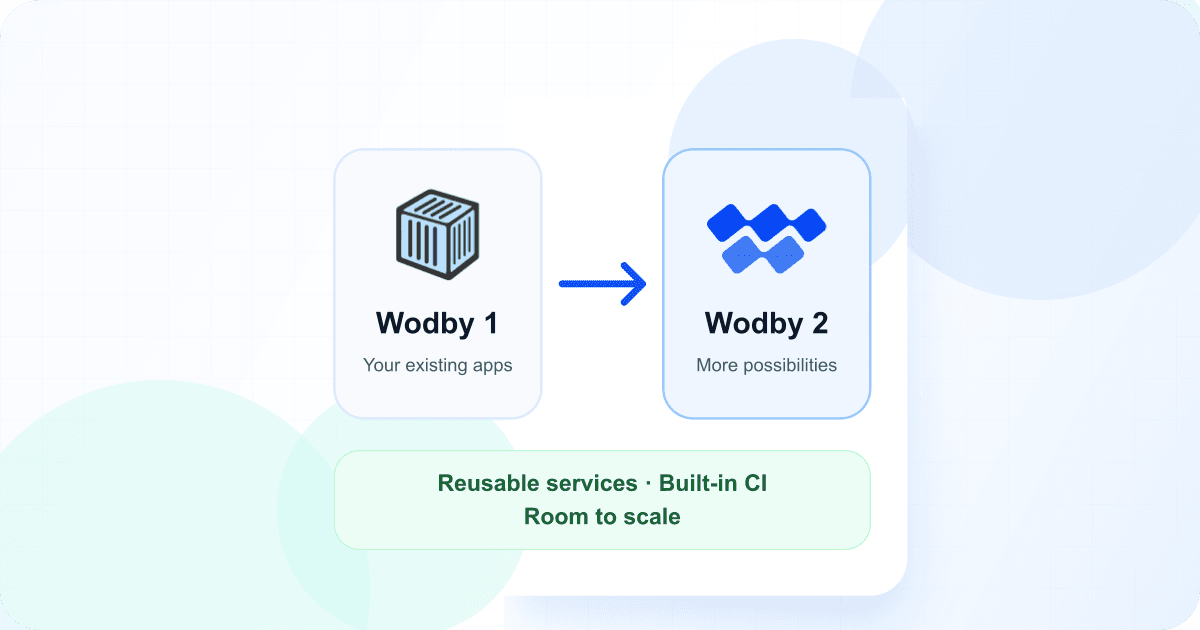
Wodby 1 remains a supported option for existing applications. Moving to Wodby 2 makes sense when it helps you deliver something your customers need or makes your team’s day-to-day work easier. Here are the main benefits to consider.
Make your stack fit your application
A Drupal site may need an extra service to generate PDF invoices or reports. In Wodby 1, deeper changes can mean forking and maintaining a whole stack. Wodby 2 lets you add services to your existing stack while continuing to use Wodby’s maintained services for the rest of your application.
You maintain the parts you customize and reuse them across projects. Make changes in a draft, test a new revision in staging, and decide when production adopts it. Ready-made stacks and application starters also make it easier to take on projects using Rails, Python, Node.js, or other frameworks alongside your existing PHP sites.
Give your coding agent a running development environment
A coding agent needs more than a repository to test a change. Wodby 2 development workspaces run your application from a persistent Git checkout, with supporting services such as its database and cache alongside it. Connect your editor, Codex, or Claude Code over SSH with your own account, and preview changes through the app’s endpoints.
If your team uses Wodby 1’s direct Git deployment for development, a workspace gives you an editable environment for that work. For example, change a Drupal module and check it against the running site before committing. Commit and push the result for review, then release through CI/CD to a separate staging or production environment. Workspaces require a compatible stack and cluster; the checkout and private home directory survive normal restarts and pauses.
Work on code and operations through chat
Wodby Agent brings AI assistance into the dashboard without a separate AI account. In a workspace chat, ask it to install a Drupal module, investigate an error, or run tests. It can read and edit the same checkout you use over SSH, run commands, and inspect the running services. Review the changed files and preview the result before releasing it.
Organization chats help across the Wodby resources you can access. Try “Check if any of my apps use EOL versions of services” or “Build a new stack for my app.” The agent asks for approval before making platform changes in organization chats; workspace chats offer their own approval settings. Both use your organization’s AI credits, while workspace compute and storage are billed separately.
Ship changes with less setup
Wodby 2 has built-in CI to install dependencies, run tests, and build your application before deployment. If you currently deploy straight from Git, you can introduce these checks without setting up another CI provider. If your team already uses an external pipeline, you can keep it.
Deploy just the services that changed, or redeploy an earlier build when you need to recover from a release. This restores the selected code images, not your database or files. Copy environment settings to prepare staging with less repeated setup, and pause idle environments while keeping their data. Paused services stop counting toward app-service plan usage, although storage and infrastructure costs can continue.
Give growing applications more room
When one server becomes a constraint, Wodby 2 gives you more ways to grow. Eligible application services can add replicas as demand increases, and suitably configured managed clusters can add worker capacity. You can also move the database to a supported cloud-managed service and manage it alongside your apps, so database and application capacity can grow independently.
Choose managed Kubernetes in your cloud account, K3s on your own servers, or Wodby Cloud. Smaller projects can start with a single server; larger ones can use supported multi-node setups. Scaling and high availability still need suitable services, storage, and cluster configuration, so choose your hosting setup with your expected growth in mind.
Spend less time on routine maintenance
Keeping several sites current should not mean repeating the same update by hand for every one. Wodby 2 can follow selected service and stack updates, bring changes into your customized stacks, and upgrade the environments you opt in. You choose what updates automatically and what stays on a fixed version.
Schedule eligible upgrades and backups around your working hours, using your own time zone. Reuse scheduled jobs across apps, and receive notifications when backups or jobs fail and when they recover. This gives your team fewer routine checks to make and a clearer view of work that needs attention.
Make backups easier to manage across your sites
Wodby 1 already provides backups. Wodby 2 gives you more control as the number of applications grows: reuse backup destinations and schedules across a project portfolio, apply different rules to production and development, and review backup history in one place.
Choose Wodby storage or supported services such as S3, Google Cloud Storage, Azure Blob Storage, R2, and Backblaze B2. Streaming backups avoid needing room for a full temporary archive on the application volume where supported. Database options let you leave out selected table contents, and import tools help you restore data or bring it into another app.
Give each team the access it needs
For an agency, each client can have a project containing its apps, while a platform team manages shared infrastructure. Developers can use a shared cluster without receiving permission to change or delete it. Teams let you grant access to a group of people across projects instead of managing every assignment individually.
Organization SSO lets people sign in through your identity provider. Separate permissions control who can reveal credentials, and termination protection adds a safeguard against accidental deletion. Reusable integrations also let teams connect shared tools and credentials without repeating setup for every app; eligible OAuth connections can even be shared between Wodby organizations.
Keep staging and internal apps private
A shared staging password may be enough for a small project. When access needs become more specific, Wodby 2 can protect an app through Cloudflare identity policies or make it reachable through a private network with Tailscale or Cloudflare. Your internal dashboard can stay private while your customer-facing site remains public.
You also get more control over domains, redirects, and authentication for individual endpoints. On current routing infrastructure, changing these settings or a certificate does not require rolling out the application again. Use managed HTTPS or supply your own certificate when your organization requires it.
Find problems faster and automate repeat work
When a deployment fails or an app slows down, start in the dashboard. Inspect resource usage, follow live logs across running copies of a service, and open a browser terminal when you need to investigate further. Task history shows what happened during builds, deployments, backups, and scheduled jobs.
For work you repeat, use the CLI, REST API, or official JavaScript/TypeScript, Go, Python, and PHP SDKs. Wodby’s MCP server also lets an authorized AI assistant inspect an app, investigate a failed operation, or carry out supported changes within its permissions. Your team can build these workflows into the tools it already uses.
Is migration worth it for you?
Start with the benefit that matters most to your team and try it with one application. Some features, including autoscaling, environment pausing, automatic backups, web terminals, SSO, and private application access, require a paid plan. Check the plan requirements and the setup needed for your chosen workflow before committing to a migration.
If Wodby 1 already meets your needs, you can keep using it. It continues to receive updates, including Infrastructure 7. Replacing an older Wodby 1 server does not require moving to Wodby 2.
Ready to try? The experimental Wodby 1 to Wodby 2 migration guide walks you through previewing, importing, and testing a managed Drupal or WordPress app before switching traffic.