Environments
Application environments for development, staging, and production
Create isolated development, staging, and production environments from one shared stack definition.
- Copy compatible configuration from another app environment
- Pause idle app environments while preserving configuration and persistent data
- Keep one stack definition while changing settings per environment
Apply environment-specific settings without branching your stack
Environment differences should live in configuration, not in parallel infrastructure definitions that drift over time.
Wodby lets every app environment inherit a shared base configuration and then apply the settings that only make sense for a specific environment. You can turn on debugging in development, keep tighter security in production, and preserve production-like behavior in staging without maintaining separate stacks for each stage.
- Production environments focused on reliability, performance, and security.
- Development environments tuned for debugging and rapid iteration.
- Staging, testing, and feature environments that mirror production where it matters.
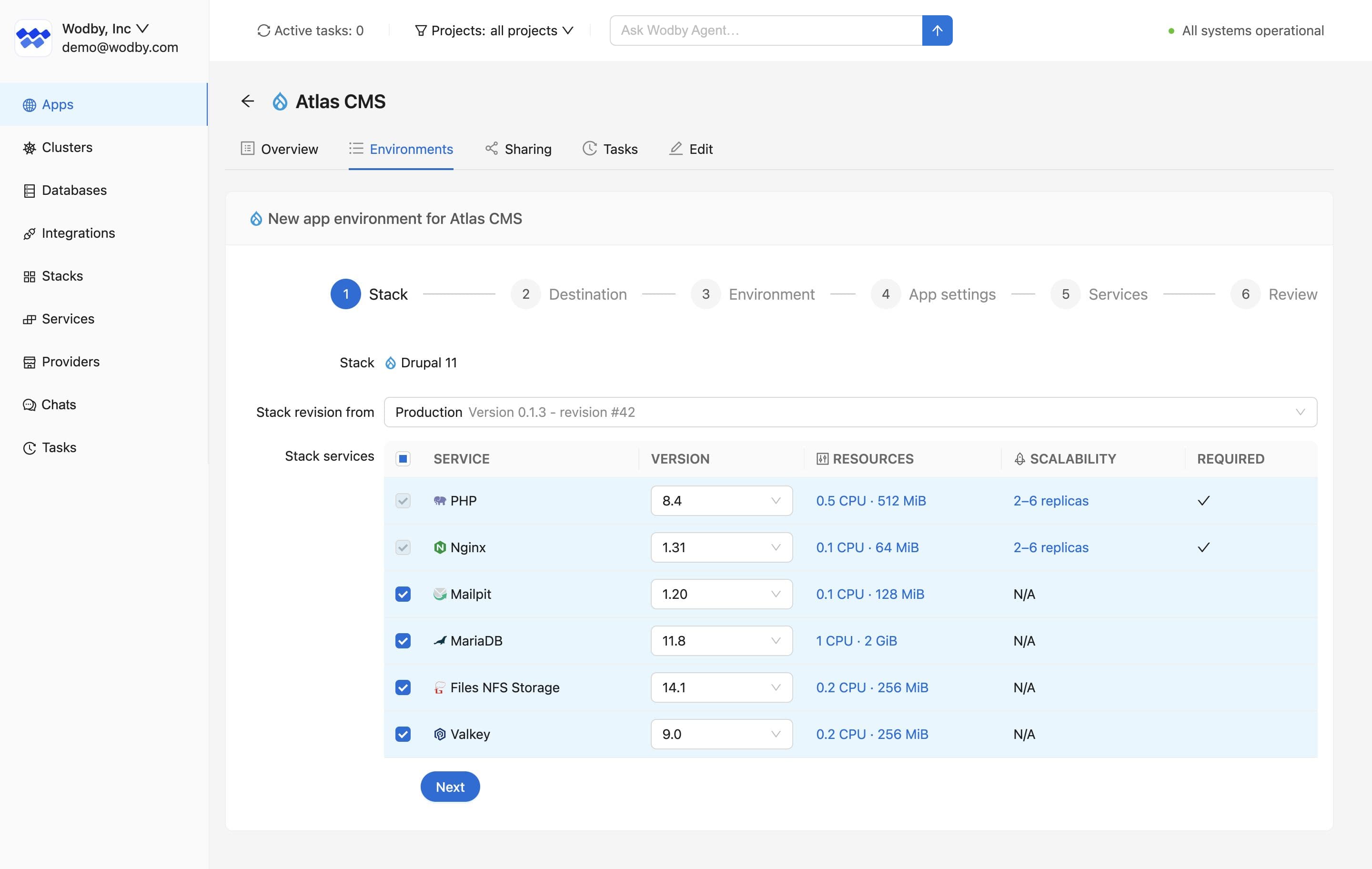
Create a new environment from compatible configuration
Start with reviewed settings from another environment instead of entering every compatible field again.
Wodby can prefill compatible CI, registry, repository, service, and integration settings from another app environment. Review the result, choose the data connections that belong in the new environment, and deploy it independently.
- Reuse compatible build and repository settings.
- Prefill supported service configuration and integrations.
- Review database and storage choices before deployment.
Pause an idle environment without deleting it
Release workload compute when an environment is not needed, then resume it with its configuration and persistent data still in place.
On paid plans, pausing scales application workloads to zero, stops scheduled and active workload resources, and makes the environment's endpoints unavailable. Routes, configuration, secrets, persistent volumes, and Helm releases remain associated with the app environment so it can be resumed later.
- Release requested workload CPU and memory while the environment is paused.
- Stop counting enabled services toward app-service plan usage after the pause completes.
- Skip automatic cron jobs and backups that become due while the app environment is pausing, paused, or resuming.
- Resume explicitly when the environment is needed again; a pause has no automatic expiration.
Persistent storage and cluster infrastructure remain provisioned and may continue to incur separate costs. Read the lifecycle documentation for the full behavior.
Support safer releases and faster feedback loops
Isolated environments make it easier to validate work before it reaches customers.
When developers, QA, and stakeholders can work in dedicated environments, release work stops competing for the same shared setup. That gives teams a cleaner path for feature testing, bug reproduction, and final verification before a production rollout.
For changes under review, Wodby can create a temporary preview environment for each pull request and delete it when the pull request closes.
Combined with CI/CD, app environments become a practical way to shorten review cycles while protecting production from unfinished changes.
Next step
Create the next environment without recreating your platform
Create development, staging, and production environments from the same application blueprint while keeping clear boundaries between them.