Scaling
Scaling controls that keep performance and cost in balance
Tune service resources, scale manually, or let Wodby adjust application replicas as demand changes.
- Set precise CPU and memory limits for each service
- Autoscale app replicas from real usage signals
- Prepare additional capacity for predictable traffic events
Set service-level resource controls before scaling becomes urgent
Good scaling starts with clear CPU and memory boundaries for each workload.
Wodby lets you tune resource requests and limits per service so busy components do not crowd out other workloads. This creates a more stable baseline, makes costs easier to reason about, and gives autoscaling rules better inputs to work from later.
Autoscale app services from real demand
When traffic changes, the platform can adjust replica counts instead of leaving teams to react by hand.
Define minimum and maximum replica counts, connect them to utilization targets, and let the platform add or remove replicas as traffic moves. This keeps applications responsive during spikes while avoiding the cost of leaving extra replicas running all the time.
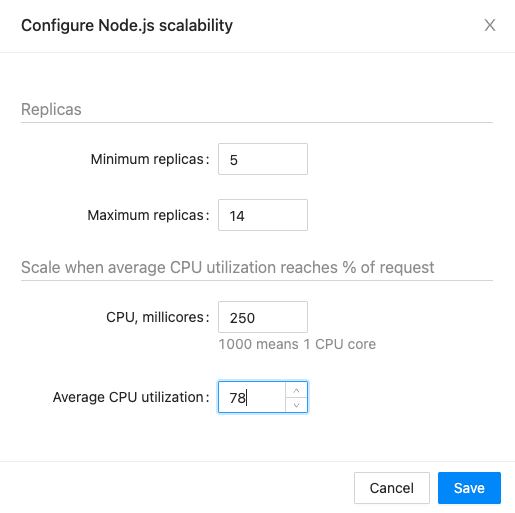
- Protect customer-facing services during unexpected traffic surges.
- Reduce spend during quiet periods without changing deployments.
- Keep scaling rules close to the rest of your application settings.
Keep manual scaling available for planned events
Not every workload needs automation all the time.
Teams can still scale services manually for launches, campaigns, migrations, or maintenance windows. That is useful when you already know demand will change and want to prepare capacity ahead of time.
Next step
Scale only when the workload actually needs it
Give teams a clear path from baseline resource tuning to manual scaling and automatic replica changes.