Wodby 1 update
Wodby 1 update: Infrastructure 7 and server migration
Infrastructure 7 brings fresh servers to Wodby 1, while a new experimental migration workflow gives existing app environments a practical path from older servers to newer infrastructure.
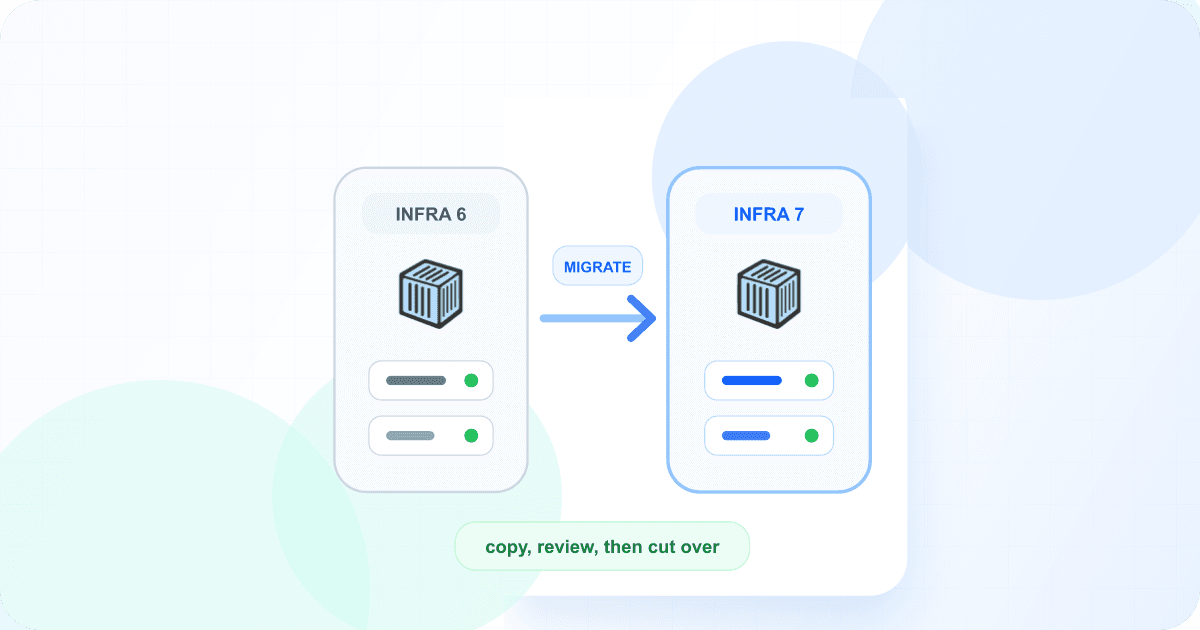
Over the past two weeks, we have shipped a concentrated set of Wodby 1 improvements. The center of this work is Infrastructure 7 and the ability to copy an existing app environment to another server. Together, they provide a practical replacement path for applications still running on Infrastructure 6 servers.
Recent work also adds Drupal stack migration, faster feedback when deployments cannot start, stronger account and organization security, more flexible backups, and several dashboard controls that previously required support.
Infrastructure 7 brings fresh servers back to Wodby 1
Infrastructure 7 is now the default for newly connected Wodby 1 servers. It supports fresh amd64 hosts running Ubuntu 26.04 LTS or Debian 13 and refreshes the Docker, Kubernetes, networking, Agent, and Edge layers behind your applications. It also improves the overall security of the infrastructure and provisions managed HTTPS certificates for Wodby technical domains and their one-level service subdomains.
Infrastructure 7 is not an in-place upgrade for Infrastructure 6. Connect a fresh supported server and move applications to it. Existing Infrastructure 6 servers remain on their current line and must not be upgraded with the Infrastructure 7 installer. Review the Infrastructure 7 server requirements before connecting a replacement host.
Migrate an app environment to another serverExperimental
In the dashboard, open an app environment's Settings → Migrate page. Wodby checks the source instance, compatible target servers, stack constraints, custom domains, and available backups before it lets the migration start. The primary use is moving from Infrastructure 6 to a fresh Infrastructure 7 server, but compatible moves between other servers in the same organization are supported too.
Migration creates a separate migrate-* instance in the same app; it does not change or delete the source. For supported managed Drupal and WordPress stacks, select a successful backup that contains both database and files. Wodby deploys the copied configuration on the target server and restores that data into the new instance.
Other compatible deployable stacks use configuration-only mode. Their databases, uploaded files, and other persistent volumes start empty, and the dashboard makes that limitation explicit before migration. Custom domains are copied, but DNS cutover and new certificates remain under your control. Existing custom certificates are not migrated, the new instance is billed from creation, and the source stays available until you remove it.
Both migrations are experimental
The server migration and Drupal stack migration workflows are marked as experimental in the dashboard. Create a fresh backup, review every preflight warning, and try the workflow with a development instance or app before using it for production. Enable maintenance mode while creating a server migration copy so the source does not change underneath the selected backup.
Move an app to a newer Drupal stackExperimental
Drupal applications can move through major versions—such as Drupal 8, 9, 10, and 11—while the Wodby hosting stack attached to the app remains on its original Drupal generation. The previous workaround was to keep that older stack and override the nginx NGINX_VHOST_PRESET with a preset for the newer Drupal version.
An experimental app-level workflow now lets you migrate the hosting stack as well. Open App → Settings → Migrate to choose a newer managed Drupal stack and preview the exact service mapping for every instance. Wodby preserves compatible configuration, removes target-equivalent Drupal version and nginx preset overrides, and blocks incompatible stateful service changes.
This migrates platform stack metadata; it does not update Drupal code, replace databases, or create a second app. Confirm that the code in every app environment already supports the target Drupal version. Non-CI instances are redeployed during migration. For CI instances, Wodby prepares the target stack and the next CI build completes the cutover.
Deployment errors surface earlier
The deployment watcher on Infrastructure 6 and 7 now inspects containers belonging to the current rollout. Terminal startup problems—such as image pull and container configuration failures—become task errors immediately instead of leaving the deployment running until its general timeout.
CrashLoopBackOff and legacy init-container failures receive a one-minute recovery window before the task fails. The watcher also scopes checks to the current ReplicaSet, so a pod retained from an older rollout does not produce a false failure or make a newer deployment look complete too early.
Enable two-factor authentication for accounts and organizations
Individual users can now enable two-factor authentication under Account → Security. Wodby supports compatible TOTP authenticator apps and provides ten single-use recovery codes to store securely. Users can see how many recovery codes remain, generate a replacement set, or disable 2FA from the same page after confirming their password and second factor.
Organization owners can also require every active member to enable 2FA. The policy is managed under Organization → Settings → Security, and changes require the owner's current password and a second-factor code.
Members who have not enabled 2FA keep their account and membership, but Wodby sends them to Account → Security after sign-in and requires setup before they can continue into the organization. Owners and administrators can review member compliance from the Team page. The Wodby 1 account security guide covers TOTP setup and recovery codes.
Scope new API keys to one organization
Every new Wodby 1 API key is now scoped to a single organization and uses the creator's permissions inside that organization. You can choose an optional expiration, and the dashboard shows the key's organization, creation date, last-used time, expiration, and status. Existing legacy global keys continue to work, but they can no longer be created.
See the Wodby 1 API key documentation for authentication and API-version details.
Add modern SSH public keys
Wodby profiles now accept Ed25519 keys, ECDSA P-256, P-384, and P-521 keys, and RSA keys of at least 2048 bits. Ed25519 is the recommended default for newly generated keys. Keys added to your profile remain available to managed stack SSH containers and supported server-provider workflows. See the container access documentation for the Wodby 1 SSH workflow.
Schedule database and file backups separately
Automatic backup settings now expose independent schedules for database and file backups. Each component can run daily, on selected weekdays at a chosen UTC time, or from a custom five-field cron expression.
Previously, production scheduling also depended on hardcoded exceptions for specific organizations, servers, and app environments. These included separate database and file-backup exclusions and custom backup cadences. Wodby migrated the effective rules into explicit per-instance settings and removed the legacy hardcoded exceptions, so affected teams can now inspect and change their schedules directly in the dashboard.
Manual backups, retention depth, mirroring, and server-level backup sequencing continue to work as before. Review the Wodby 1 backup documentation for the broader backup and mirroring workflow.
Create and safely delete organizations
You can now create Wodby 1 organizations directly from the dashboard. Organization owners can also start deletion from settings once the organization is empty. If resources or other blockers remain, the dashboard lists what must be removed first instead of requiring a support conversation to discover it.
Manage server public IP overrides
Public IP exceptions previously relied on hardcoded address mappings and a hardcoded list of servers for which automatic detection was disabled. Wodby migrated each server's effective address into an explicit public IP override and removed those legacy settings.
The server edit page now shows the override and lets you update or clear it. Clearing the value resumes automatic public-IP detection the next time the server reports its state.
Wodby 2 remains our recommendation for new projects
These Wodby 1 improvements give existing applications a modern fresh-server target and safer migration options. We still recommend Wodby 2 for new projects and for teams ready to move. It is our more modern platform for Kubernetes application delivery, custom stacks, CI/CD, and provider integrations.
When you are ready to move an existing app, follow the step-by-step Wodby 1 to Wodby 2 migration guide. The experimental CLI workflow previews the complete migration plan before applying it and keeps the Wodby 1 source intact for rollback. You can also review how Wodby 2 differs from Wodby 1 and explore the current Wodby 2 documentation.
Available now
Review the Wodby 1 infrastructure documentation before connecting a fresh server, then open the Wodby 1 dashboard to add a server or review the experimental migration options for an eligible app or instance.