Product update
Cluster vulnerability scanning: see and fix what your cluster runs
Every self-hosted and managed Kubernetes cluster in Wodby now has a Security tab. It lists the known vulnerabilities of your servers, node images, Kubernetes version, and infrastructure apps in one table, and links each one to the operation that fixes it. It is on every plan, with nothing to install.
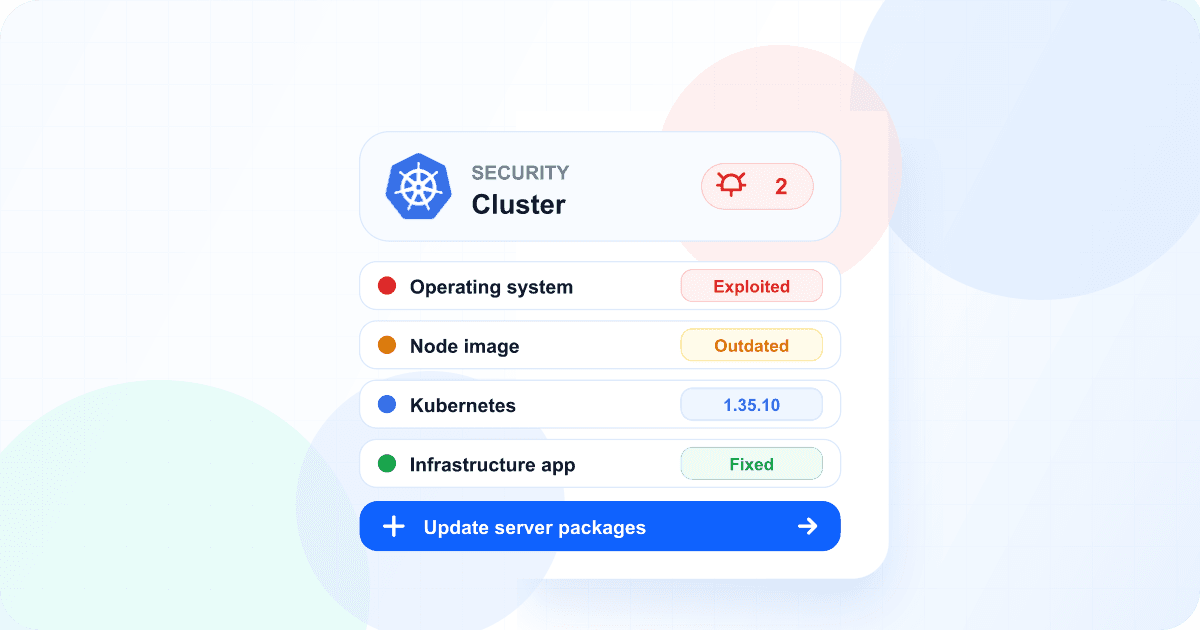
Earlier this month we started scanning the images your apps run. Your apps are only part of what runs on a cluster, though. A kernel that waits for a reboot, a node pool on last month's image, or an old Kubernetes patch release can be the weaker spot, and each of them lives in a different console. Now they are in one place.
What Wodby checks
Servers
On K3s, the packages and running kernel of every server and worker node, checked against your distribution’s security data.
Node images
On Amazon EKS and Azure AKS, whether each node pool runs the provider’s newest image.
Kubernetes
The publicly known vulnerabilities of the cluster’s Kubernetes version.
Infrastructure apps
The images of the apps Wodby installs, such as Envoy Gateway and monitoring.
Servers, node images, and infrastructure apps are checked once a day, and the Kubernetes version every 12 hours. On K3s, a short read-only job lists each server's packages, and Wodby matches them against the security data of your distribution, which includes the fixes it backports to older version numbers. Wodby also tracks security advisories that need more than a version check, such as a kernel bug, and shows whether your servers are protected.
An alert you can act on
Run a vulnerability scanner on a server and you often get hundreds of critical and high findings. Most of them are in code nobody attacks, and a red badge that never goes away stops meaning anything. So Wodby raises the alert only for vulnerabilities that are on CISA's catalog of known exploited vulnerabilities, or that EPSS gives at least a 10% chance of being exploited in the next 30 days, whatever their severity.
Those vulnerabilities are tagged Exploited or Likely exploited, and they put a red bug tag on the cluster in your clusters list. Everything else stays in the table, and the cluster page shows the number of critical and high vulnerabilities in grey. When you have reviewed a vulnerability and accepted it, ignore it with a reason and it stops counting. The same rule now decides the alert for the images your apps run.
Patch your servers from Wodby
Each row has a Fix link when there is one. On K3s, two of them are new:
- Update server packages installs your distribution's updates on each node, one node at a time, while your apps keep running. It stays on the operating system release the server runs, keeps the configuration files you changed, and shows the package manager's output in the task log.
- Restart servers restarts the nodes that need it, such as after a kernel update, one at a time. Before each restart, Wodby moves the node's apps to other nodes when they have room, and it waits for the node to be ready before it moves on.
A fix that only takes effect after a restart shows as Fixed after restart, and the cluster shows Restart required until you restart it. Wodby never updates or restarts your servers on its own: you choose when, for example in a maintenance window. On a cluster with one server, a restart makes its apps unavailable for a few minutes.
Other rows link to recycling nodes onto a newer image, upgrading Kubernetes, or upgrading the infrastructure apps. The table shows the result after the next check, within about 15 minutes of an update or restart started from Wodby.
Weekly report, API, and agents
The weekly organization report now lists clusters with vulnerabilities known or likely to be exploited, next to the builds. The same list is available through the REST API and to AI agents connected through MCP, so an agent can see what needs patching and start the update with your permission.
What it does not cover
Wodby Cloud and serverless clusters have no Security tab, because Wodby or the provider runs every part of them. On managed Kubernetes, Wodby checks node image freshness rather than the packages on each node, and Google GKE and DigitalOcean ship new node images with Kubernetes updates. Vulnerabilities of a Kubernetes version and outdated node images have no exploitation data, so they are listed without raising an alert.
Available now
Open a cluster and go to its Security tab. The checks already run for every self-hosted and managed cluster, on every plan. Read the cluster security documentation for what each check covers, and operating system and kernel updates for how package updates and restarts work on K3s.
Explore vulnerability scanning for apps and clusters or self-hosted Kubernetes.