Guide
Use Wodby with Docker Hub
Use Docker Hub as the registry for images built by Wodby CI or by an external CI pipeline running Wodby CLI.
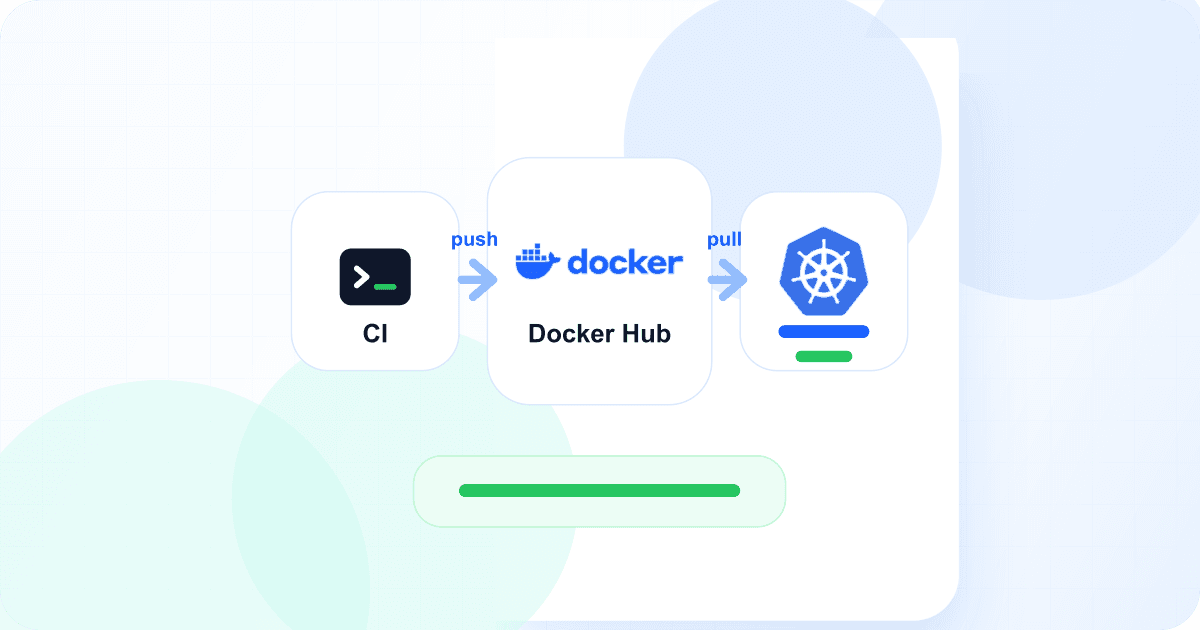
Wodby uses Wodby Registry by default for buildable app services. Wodby Registry is a private registry provided by Wodby and includes 5 GB of free image storage, so most apps can build, push, and deploy without creating a separate registry integration.
You can also use your own container registry when your team wants to keep application images in an existing registry account, share them with external systems, or manage registry billing and retention outside Wodby. Docker Hub is one of the registry providers Wodby can use for that flow.
Once Docker Hub is connected, Wodby can push built images to Docker Hub and configure deployments to pull those images back into the Kubernetes app environment.
What you need
- A Docker Hub account or organization namespace for images.
- A Docker Hub access token for the account that can push and pull images in that namespace.
- Optional pull-only Docker Hub credentials when runtime image pulls should use a different account from image publishing.
- A Wodby app or app environment with at least one buildable service.
Create the Docker Hub integration
In Wodby, create a new integration and choose Docker Hub. Fill in the optional Namespace field when images should be pushed under a Docker Hub organization or namespace. If you leave it empty, Wodby uses the push/pull username as the namespace.
Add the push/pull username and access token. This account must be able to push and pull images in the selected namespace. If you use a separate runtime pull account, fill in both pull-only fields; otherwise Wodby falls back to the main push/pull credentials for deployment pulls.
Select Docker Hub for app images
When creating an app or app environment with buildable services, select the Docker Hub integration as the registry. Wodby will publish build images to Docker Hub using a repository path based on the app environment:
[namespace]/[app-name]_[app-environment-name]-[suffix]The namespace comes from the Docker Hub integration. The app and app environment names identify the deployment, and Wodby adds the suffix needed for the built image target.
Build and deploy
The CI flow does not change much after Docker Hub is selected as the registry. Wodby CLI logs in to the registry during init, builds the configured images, pushes them to Docker Hub, and deploys the pushed images:
wodby ci init "$WODBY_APP_SERVICE_ID"
wodby ci build
wodby ci push
wodby ci deploy
For a stack with multiple buildable services, you can target one service at a time:
# Build and push one service when you do not want to build every buildable service.
wodby ci build node
wodby ci push node
wodby ci deploy node
Credential checks
When you create or update the Docker Hub integration, Wodby checks the configured credentials against Docker Hub before the integration becomes usable. The main credentials must grant push and pull access to the configured namespace. If pull-only credentials are set, Wodby also checks that they grant pull access.
Troubleshooting
- If validation fails, confirm the access token belongs to the username entered in Wodby and can push to the selected namespace.
- If images are published under the wrong namespace, check the optional
Namespacefield. Empty means Wodby uses the push/pull username. - If deployments cannot pull images, either remove incomplete pull-only fields or provide both the pull-only username and access token.
- If
wodby ci pushfails, rerunwodby ci initand confirm the app environment is using the Docker Hub registry integration.
For field details and repository naming, see the Docker Hub provider docs. For the build, push, and deploy commands, see the Wodby CI/CD docs.