Product update · Oct 19, 2026
Introducing Wodby Agent
Code and operate through chat, right in Wodby
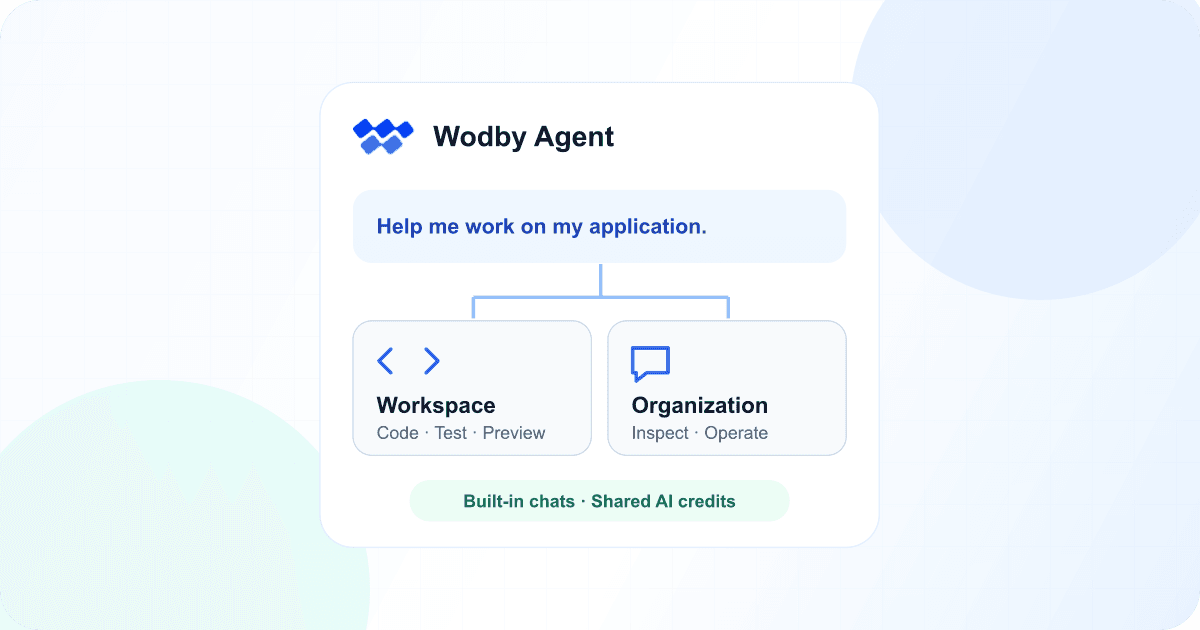
Wodby Agent brings AI assistance into the dashboard. Work on code inside a dev workspace, or open an organization chat to investigate and manage your applications. You can get started with your organization’s AI credits without setting up a separate AI account.
Start a conversation from the header
Look for Ask Wodby Agent… in the dashboard header. Type a request and send it to open a new organization chat. There’s no separate tool to launch: the conversation opens in Wodby, where you can follow the agent’s work, answer questions, and approve proposed changes.
A few examples to try
Describe the stack your app needs
Build a new stack for my app. It uses Flask and PostgreSQL. Show me the proposed services and ask before creating it.
Start an organization chat and describe your application. The agent can inspect available services and propose a stack, asking for approval before creating it.
Find service versions that need attention
Check if any of my apps use EOL versions of services. Summarize by service and version, and suggest next steps. Do not change anything.
Ask the agent to check your applications against the service catalog and suggest an upgrade plan without changing anything.
Bring the conversation into a workspace
Inspect this application and suggest the smallest change needed to use its cache service. Explain the files you would change before editing anything.
Open Chats inside a workspace to work on application code. The agent can inspect files, edit the checkout, and run commands against your development environment.
Your conversations stay in the chat list, so you can return to an earlier task or start a new one.
An agent with your code and a running app
For coding, open a dev environment’s Workspace tab and select Chats. Once the workspace is ready, you can message Wodby Agent right there. Try “Find the cause of this error, fix it, and run the tests.” The agent can read and edit files, run commands, and inspect the workspace’s services and logs.
Follow its progress in the conversation, then open Status to review the changed files. Open the app’s endpoints to preview the result. Prefer your own editor? The Connect tab has the SSH details for the same checkout. Multiple chats share its files and services, so coordinate tasks that touch the same code.
Organization chats for platform operations
You do not need a workspace to ask about your organization. Start a chat to review application status, investigate a failed deployment, or request a supported platform change. The agent uses your existing permissions and asks for approval before making changes.
Organization chats focus on Wodby resources. They do not provide a code checkout or unrestricted shell access. Use a workspace chat when the task needs file edits, commands, or tests.
Choose when the workspace agent asks
Workspace chats ask before Git pushes by default. For closer supervision, choose approvals for shell commands, web requests, and platform changes. You can also allow the agent to proceed without prompts. Reading and editing files do not require approval.
Push prompts are a convenience for avoiding accidental pushes, not a security boundary for unfamiliar code. Use command approvals when you need to review execution, and inspect the resulting changes before releasing them.
AI credits shared across your organization
The Developer plan includes $5 in AI credits per organization. An active paid subscription raises the total included credits to $10. These credits are granted once and do not renew monthly. Upgrading adds to the original grant rather than starting a new allowance.
Workspace and organization chats draw from the same AI credit balance. Usage is token-based and includes the conversation context sent with requests. Billing managers can purchase credits and, on eligible paid plans, set a spending limit for additional usage.
AI usage is separate from the compute and storage used by a dev workspace. You can still connect your own external agent through Wodby MCP or use it over SSH with its own account.
Try it in the dashboard
Wodby Agent must be enabled on your installation, and your organization needs available AI credits. Workspace chats are available to the workspace owner once setup is complete. Start with a small task, review the result, and keep your usual Git review and release process.