Security update
Introducing Application Access for Wodby apps
Wodby can now protect an entire app, or only selected HTTP endpoints, through Cloudflare Access, Cloudflare One private networking, or Tailscale, without leaving the matching ordinary public routes exposed.
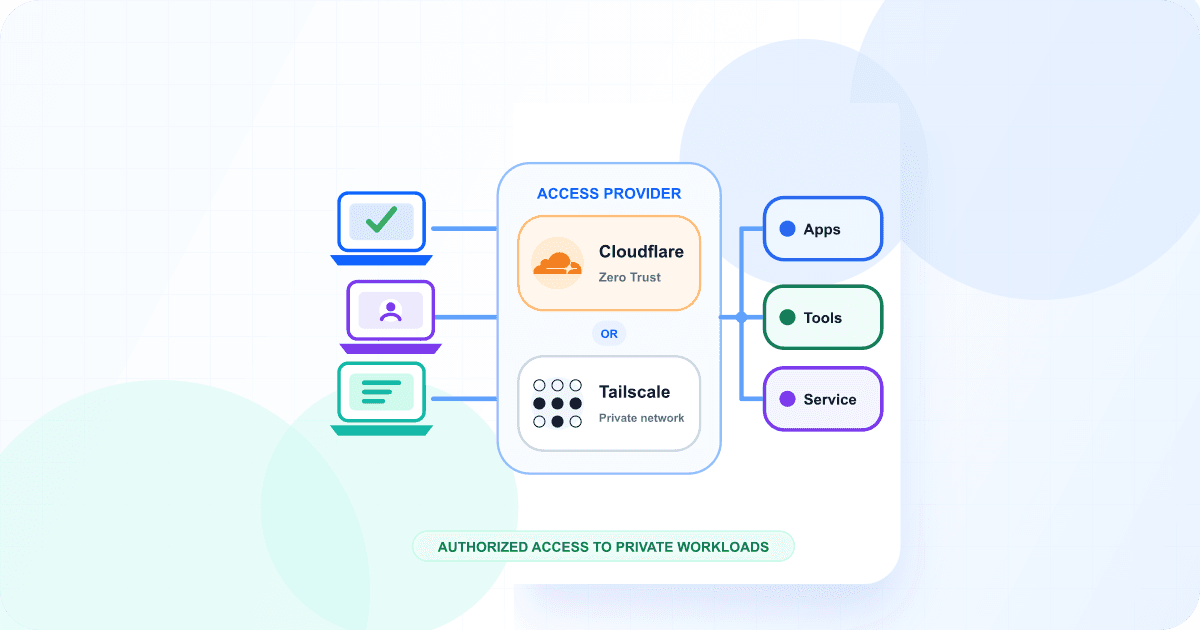
Internal dashboards, admin interfaces, content-management tools, and customer portals still need stable HTTPS addresses. What they do not always need is a public Wodby route. Application Access makes that distinction an app-level setting instead of something every stack or service has to implement for itself.
Configure Access while creating an app, or change it later from the app environment settings. Wodby then owns the connection lifecycle: endpoint addresses, provider resources, route suppression, reconciliation after deployments, and cleanup when Access or the app environment is removed.
One setting, three outcomes
Public
The default. Wodby publishes enabled HTTP routes through the cluster’s ordinary public gateway.
Protected publishing
Cloudflare publishes your customer-zone hostnames and places a reusable Cloudflare Access identity policy in front of the app.
Private network
Cloudflare One or Tailscale makes endpoints reachable only from enrolled users and devices connected to the private network.
Public remains the default. Select Protected when an Application Access provider should become the connection path, then choose the access type offered by that provider. Cloudflare supports both protected publishing and private-network access; Tailscale provides private-network access.
Protect the whole app or one endpoint
Entire app scope covers every enabled external HTTP destination. A Drupal or WordPress stack can receive one Access address for the application and another for a tool such as Mailpit. Services that expose only a database or another private, non-HTTP port are not published by Application Access.
Selected endpoints scope is useful when the main site should stay public but an admin dashboard, preview service, or operational tool should not. Only routes targeting the selected endpoints are suppressed; everything else keeps its existing behavior.
Access is an HTTP feature
Application Access works with HTTP endpoints that would otherwise have external routes. It does not automatically publish databases or arbitrary TCP and UDP ports. A standalone Tailscale Node also remains a separate service use case when the node itself is the workload you want to deploy.
Stable addresses for every access model
Private does not have to mean an unfamiliar or temporary URL. Each provider uses stable hostnames appropriate to its access model:
| Access path | Address | Who can reach it |
|---|---|---|
| Cloudflare Protected | A hostname in your Cloudflare DNS zone | Publicly reachable, with a Cloudflare Access login policy |
| Cloudflare Private network | The endpoint’s existing Wodby technical hostname | Reachable through Cloudflare One Client and WARP |
| Tailscale Private network | A stable hostname assigned from the app and tailnet names | Reachable by authorized users and devices in the tailnet |
Cloudflare Protected publishing supports flattened hostnames that work with Universal SSL and hierarchical hostnames for customers with the required Advanced Certificate coverage. Cloudflare Private network does not require a customer DNS zone or Access policy in Wodby: it reuses Wodby's technical hostname and certificate, while Cloudflare One routes enrolled devices to the app. The customer configures Cloudflare's Gateway TCP and UDP proxy, Split Tunnels, and device enrollment; Wodby manages the app Tunnel and private hostname routes.
Access follows the app lifecycle
Wodby waits for the workload to deploy successfully before it creates provider resources, but suppresses matching public routes from the start. This avoids a window where an app intended to be private is accidentally exposed during its first deployment.
As HTTP services change, Wodby reconciles the provider endpoint inventory. Removing Access restores the matching public routes. Deleting an app environment removes its workloads and then cleans up managed provider resources. Temporary provider failures become visible cleanup warnings that can be retried without blocking the app deletion.
Available now
Create a Cloudflare or Tailscale integration with the Application Access type. Then select Protected in Step 4 when creating an app, or open an existing app environment and go to Settings → Access.
Read the docs
Start with the Application Access feature overview for use cases and provider choices, then use the Application Access documentation for scopes, hostname behavior, and cleanup. Provider setup is covered in the Cloudflare guide and Tailscale guide. You can also explore the Wodby integration catalog.