Data pipeline guide
Build an ETL Pipeline with Apache Airflow
Most teams start with Airflow for one job: pull data from an API or another database every day, clean it up, and load it into a database where reports and dashboards can use it. This guide builds that pipeline on Wodby, from an empty repository to data in PostgreSQL.
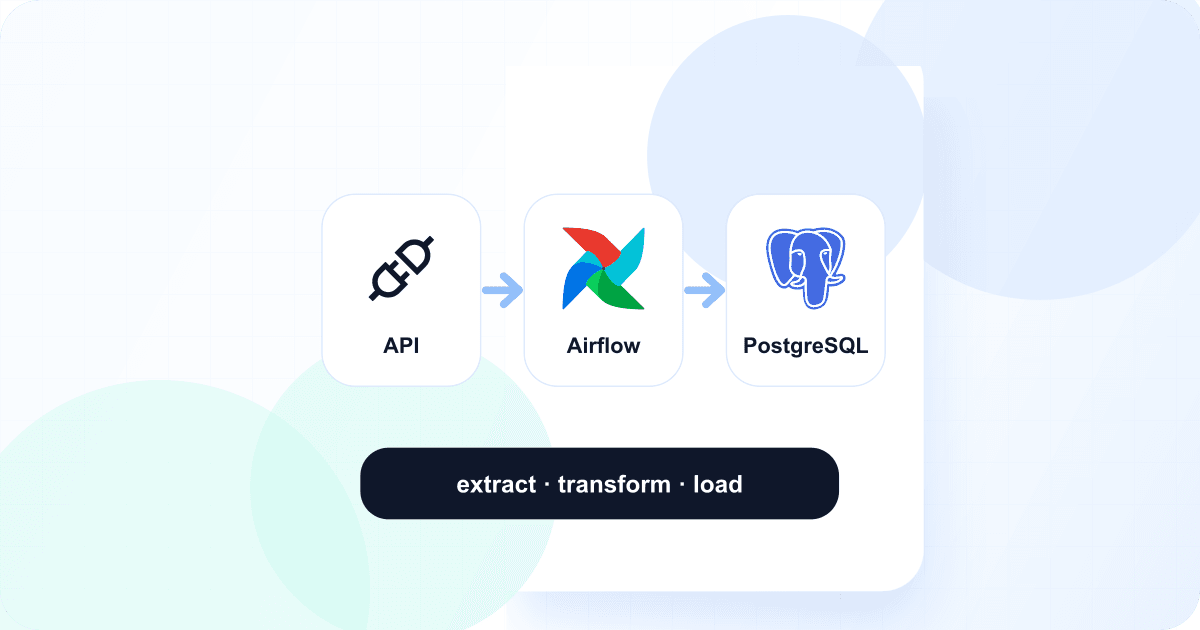
What you will build
A DAG that loads the euro exchange rates the European Central Bank publishes every business day. It uses the free Frankfurter API, which needs no key. Every morning the DAG:
- Extracts the previous day's rates for five currencies from the API.
- Transforms the response into one row per day and currency.
- Loads the rows into an
exchange_ratestable in a PostgreSQL database calledwarehouse. - Rebuilds a
monthly_ratestable with the average rate of every currency per month.
The same shape fits most real pipelines: replace the API call with your CRM, payment provider, or production database, and the tables with the ones your reports need.
What you need
- A Wodby account and a connected Kubernetes cluster.
- A GitHub, GitLab, or Bitbucket integration, so Wodby can create and build your repository.
1. Create the Airflow app
- Open the Apache Airflow stack in the Wodby catalog and create an app from it.
- For the Airflow service's source, choose Clone boilerplate and the Vanilla Airflow project. Wodby creates a repository with
dags/,plugins/, andrequirements.txt, builds Airflow with it, and rebuilds on every push. - Wait for the first deployment to finish, then open the Airflow domain under Endpoints. The administrator username and password are on the Airflow service's Configuration → Tokens tab.
2. Create the warehouse database
The stack's PostgreSQL already holds Airflow's own metadata. Give your data a separate database and user on the same server, so the pipeline can never touch Airflow's tables.
- Open Databases and select the app's PostgreSQL database.
- Under DBs, create a DB named
warehousewith theUTF8charset. - Under Users, create a user named
etlwith a strong password, and give it access towarehouse.
For production data you can use a managed database instead; only the connection in the next step changes.
3. Give Airflow the connection
Airflow reads connections from environment variables named AIRFLOW_CONN_<ID>. Open the Airflow service's Configuration → Variables and add:
AIRFLOW_CONN_WAREHOUSE=postgresql://etl:<password>@postgres:5432/warehouseTurn on Secret, since the value contains the password, and URL-encode any special characters in it. postgres is the database's private host, shown on its page in Databases. The DAG refers to this connection by its ID, warehouse. See environment variables.
4. Add the DAG
Clone the repository Wodby created and add dags/exchange_rates.py. Set start_date to a date a week or two back: Airflow runs every day since then when you turn the DAG on.
"""Loads the European Central Bank's daily euro exchange rates into the warehouse.

Every morning Airflow loads the previous day: it downloads that day's rates
from the Frankfurter API, turns them into one row per currency, and upserts the
rows into PostgreSQL. A second step rebuilds the monthly averages.
"""

from datetime import timedelta

import pendulum
import requests
from airflow.providers.postgres.hooks.postgres import PostgresHook
from airflow.sdk import dag, get_current_context, task

CURRENCIES = ["USD", "GBP", "JPY", "CHF", "CNY"]


@dag(
    # Every day at 06:00 UTC, after the ECB has published the previous day's rates.
    schedule="0 6 * * *",
    start_date=pendulum.datetime(2026, 11, 2, tz="UTC"),
    # Runs the days since start_date that have not run yet.
    catchup=True,
    max_active_runs=1,
    default_args={"retries": 3, "retry_delay": timedelta(minutes=5)},
    tags=["etl"],
)
def exchange_rates():
    @task
    def extract() -> dict:
        # The day this run covers: the run on November 13 loads November 12.
        day = get_current_context()["logical_date"].subtract(days=1).to_date_string()
        response = requests.get(
            f"https://api.frankfurter.dev/v1/{day}",
            params={"symbols": ",".join(CURRENCIES)},
            timeout=30,
        )
        response.raise_for_status()
        payload = response.json()
        # The ECB publishes no rates on weekends and holidays; the API then
        # returns the last business day, which an earlier run already loaded.
        if payload["date"] != day:
            return {"date": day, "rates": {}}
        return payload

    @task
    def transform(payload: dict) -> list[tuple]:
        return [
            (payload["date"], currency, rate)
            for currency, rate in sorted(payload["rates"].items())
        ]

    @task
    def load(rows: list[tuple]) -> int:
        hook = PostgresHook(postgres_conn_id="warehouse")
        hook.run(
            """
            CREATE TABLE IF NOT EXISTS exchange_rates (
                day date NOT NULL,
                currency char(3) NOT NULL,
                rate numeric(18, 6) NOT NULL,
                PRIMARY KEY (day, currency)
            )
            """
        )
        # Upserting makes reruns and backfills safe: a day loaded twice keeps one row per currency.
        hook.insert_rows(
            "exchange_rates",
            rows,
            target_fields=["day", "currency", "rate"],
            replace=True,
            replace_index=["day", "currency"],
        )
        return len(rows)

    @task
    def report(loaded: int) -> None:
        PostgresHook(postgres_conn_id="warehouse").run(
            """
            CREATE TABLE IF NOT EXISTS monthly_rates (
                month date NOT NULL,
                currency char(3) NOT NULL,
                average_rate numeric(18, 6) NOT NULL,
                days integer NOT NULL,
                PRIMARY KEY (month, currency)
            );
            INSERT INTO monthly_rates
            SELECT date_trunc('month', day)::date, currency, avg(rate), count(*)
            FROM exchange_rates
            GROUP BY 1, 2
            ON CONFLICT (month, currency) DO UPDATE
            SET average_rate = EXCLUDED.average_rate, days = EXCLUDED.days;
            """
        )

    report(load(transform(extract())))


exchange_rates()
A few choices make this DAG safe to run daily:
- It loads the previous day. The run at 06:00 UTC loads yesterday's rates, which the ECB published the afternoon before.
- Loads are upserts. The table's primary key is the day and currency, so rerunning a day replaces its rows instead of adding duplicates.
- Weekends are skipped. The ECB publishes no rates on weekends and holidays; the API then answers with the last business day, which the DAG recognizes and leaves alone.
- Failures retry. Each task retries three times, five minutes apart, before the run fails.
The PostgreSQL provider and requests come with Airflow's image, so requirements.txt stays empty here. Add other providers, such as apache-airflow-providers-http, there; don't list apache-airflow itself.
5. Deploy and run it
- Commit and push. Wodby builds a new image with the DAG and deploys it; the scheduler, DAG processor, and web interface all run that image.
- In Airflow, find
exchange_ratesin the DAG list. New DAGs start paused; turn it on. - Airflow catches up: it creates one run for every day since
start_dateand runs them one after another. After that, a new run starts every day at 06:00 UTC.
6. Check the data
On the PostgreSQL app service's Overview, click Connect via web terminal (see web terminal), run psql -U postgres -d warehouse, and query the tables:
SELECT day, currency, rate FROM exchange_rates ORDER BY day DESC, currency LIMIT 10;
SELECT * FROM monthly_rates ORDER BY month, currency;
You should see one row per business day and currency, with no rows for weekends, and one monthly average per currency.
Where to go next
- Point a dashboard at the warehouse: the Metabase stack can use it as a data source.
- Add sources: one DAG per API or database keeps failures and retries separate.
- Back up the PostgreSQL database; the warehouse lives there. See backups.
- Read the Apache Airflow stack guide for its configuration, sign-in, and limits.