Product update
Roll back deployments to previous builds
Wodby now lets you manually roll app services back to eligible previous builds, including previously deployed images created for an older stack revision, without rebuilding the application version you need to restore.
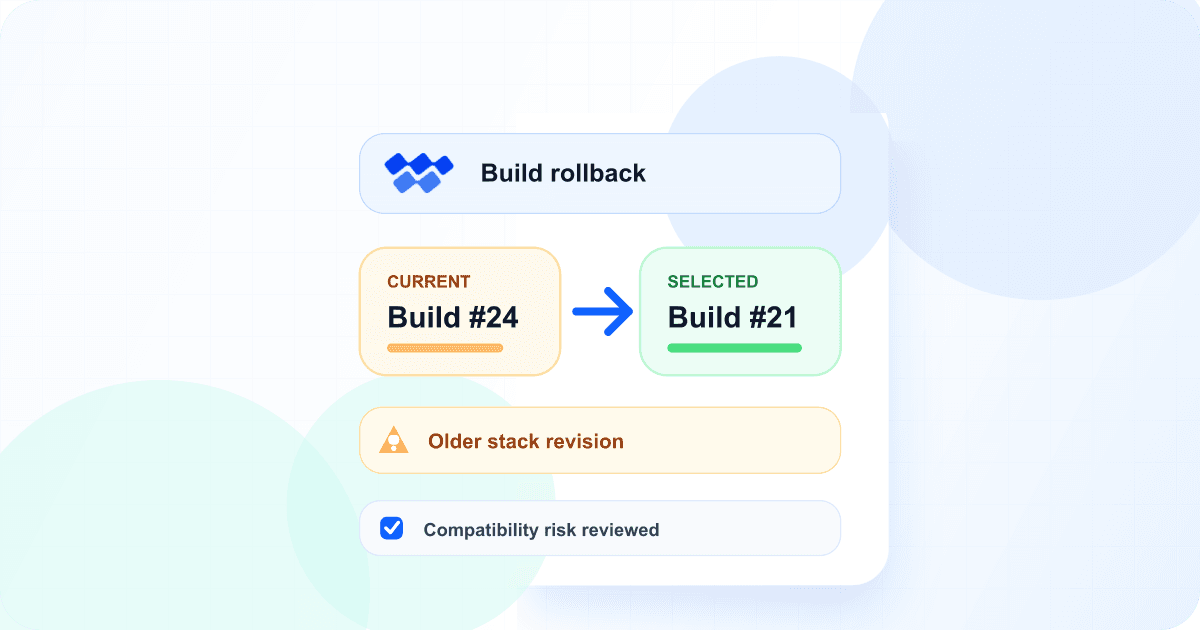
A bad release does not always fail during rollout. A regression can appear after traffic reaches the new version, or an application change can turn out to be incompatible with real production behavior. In those moments, rebuilding old source code adds delay and can produce a different artifact from the one that previously worked.
Build rollback keeps the recovery path attached to Wodby's existing build and deployment history. You choose the exact service images to restore, review the compatibility risks, and create a normal deployment whose progress and outcome remain visible.
Start the rollback from the context you already have
Choose builds per service
Start a new deployment and select an eligible previous build for each app service that needs to move back.
Start from a build
Open an older build and deploy it again without rebuilding the same application version.
Start from a deployment
Open an earlier deployment and restore its eligible application builds through a new deployment.
Wodby labels a deployment as a build rollback when previously deployed older builds replace newer ones. If you intentionally deploy an older current-stack build that has never been deployed, it is identified as an older build instead. Deployment details show the previous and selected build numbers per app service, and compact history views use indicators that keep the list readable.
Older stack revisions have stronger safeguards
A completed, non-voided image from the current stack revision can be selected even if it has not been deployed before. An image created for an older stack revision is eligible only when that exact app-service image completed a deployment previously. Ineligible, missing, voided, and incomplete images remain in build history but are not offered as deployment choices.
Selectable cross-revision images carry an Older stack revision warning. Before deployment, Wodby lists the affected services and build revisions and requires an acknowledgment of the compatibility risk.
A build rollback is not a stack or data restore
Wodby redeploys the selected container images with the app app environment's current stack revision, configuration, secrets, volumes, linked services, databases, and persistent data. It does not reverse database migrations or restore data. An older application image can therefore be incompatible with the state that exists now.
Data-changing scripts stay under your control
Post-deployment scripts are turned off by default when an older build is selected because they can run migrations or other data-changing operations. In a new deployment, you can explicitly enable a service's scripts after reviewing them. Build and deployment history shortcuts keep the scripts off.
Automatic rollback on rollout failure remains enabled unless you choose to skip it. That best-effort Kubernetes release rollback is separate from manually selecting a previous build, and neither mechanism restores application data.
Available now
Open an app environment and go to CI/CD → Deploys → New Deployment, or open an earlier build or deployment to review the available action. Read the build rollback documentation for complete eligibility and safety details.
Explore Wodby's CI/CD and deployment controls or open the dashboard to review your application's build history.