Product update
Automatic Kubernetes upgrades now keep cluster components current
Wodby can now keep your Kubernetes clusters current on its own. Automatic Kubernetes upgrades move a cluster to new Kubernetes releases and also apply the component updates Wodby can run, such as Cilium on K3S servers and Amazon EKS add-ons, inside the maintenance window you choose.
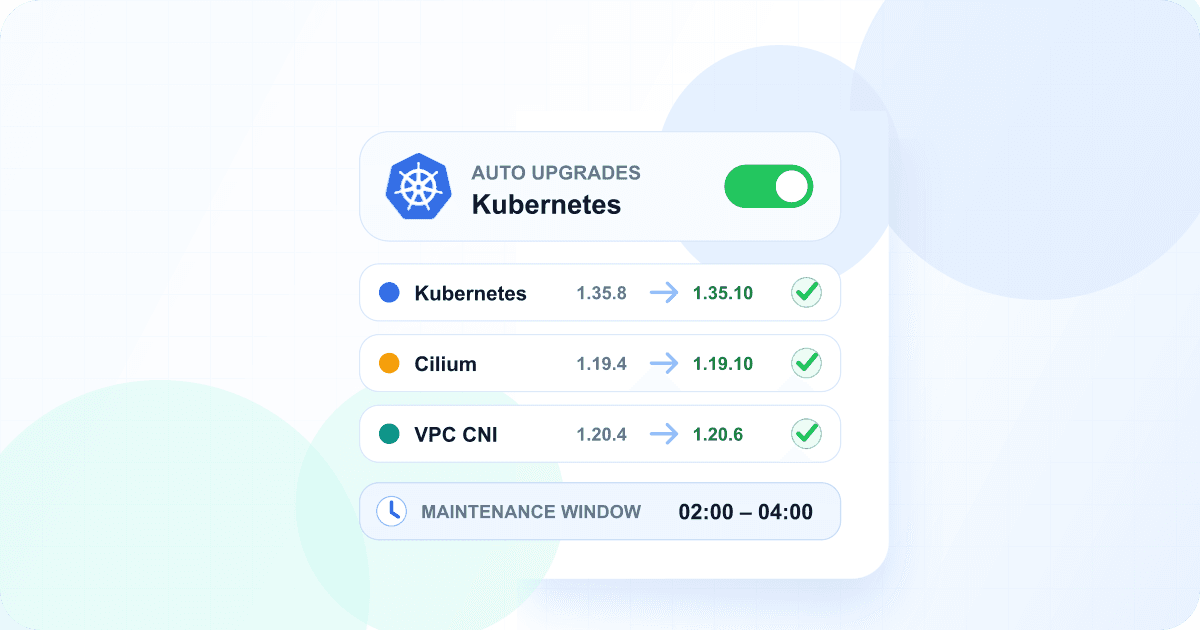
A Kubernetes cluster is more than its version. The network plugin, DNS, and storage drivers that run inside it have releases of their own, and a cluster that only follows Kubernetes patches slowly falls behind on the rest. Keeping all of it current used to mean watching several release streams and scheduling each update by hand. Wodby now handles the parts it can update and shows you the state of everything else.
One policy for the version and its components
Automatic Kubernetes upgrades cover patch versions by default, in a 02:00 to 04:00 window unless you choose another. The same policy and window now cover component updates.
They are on by default for K3S clusters, which Wodby upgrades in place. On managed clusters they are off by default: every Kubernetes upgrade of a managed cluster replaces all of its nodes, even for a patch, so every pod restarts and a single-node cluster is unavailable for a few minutes. Turn them on when your apps can handle that, for example on a cluster with at least two nodes and apps with at least two replicas. If a managed cluster had them on before, Wodby has turned them off; turn them on again in the Kubernetes auto upgrade settings if you want them.
Kubernetes version
Patch releases of the current minor by default. Allow minor versions when you are ready, optionally only after the current minor reaches end of life.
Cilium on K3S
The network plugin Wodby installs on K3S servers moves to the version Wodby offers, without a new infrastructure release.
Amazon EKS add-ons
The VPC CNI, kube-proxy, CoreDNS, and EBS CSI driver add-ons move to the AWS default for the cluster’s Kubernetes version.
Wodby runs one change at a time and puts the Kubernetes version first. When there is no version upgrade to start, it applies the next component update the policy allows. A component update within the component's minor version counts as a patch, so the default settings keep K3S components patched too. Larger component updates wait until you allow minor versions.
The order matters on K3S: a new Kubernetes minor version waits until the cluster runs a Cilium version that supports it. With minor versions allowed, Wodby updates Cilium first and the Kubernetes upgrade follows. On Amazon EKS, a Kubernetes version upgrade already moves the add-ons, and component updates keep them at the AWS default in between.
Other providers keep their own components
Most managed Kubernetes services update their system components themselves. On those clusters, Wodby upgrades the Kubernetes version and shows which components the provider runs.
See every component on the cluster
The cluster's Kubernetes tab now lists the infrastructure software running on it: system pods, and each node's Kubernetes agent, container runtime, operating system, and kernel. Each row shows its version, whether Wodby can update it, where it runs, and who manages it.
Wodby
Installed by Wodby and updated by Wodby.
K3S
Comes with the K3S release and moves with the Kubernetes version.
Provider
Run by your Kubernetes provider, which updates it or lets Wodby do so.
Server
The operating system and kernel of your own server, which you update.
The list refreshes every few hours and as soon as a component update, node recycling, or Kubernetes version upgrade finishes. When an update is available, the Component updates card under the Kubernetes version card lets you run it right away instead of waiting for the window.
Cilium updates you can leave unattended
Cilium carries all pod traffic on a K3S server, so its update follows Cilium's own upgrade guide.
Healthy before it starts
The update does not begin while any Cilium agent reports a problem.
Images pulled first
Cilium’s pre-flight check downloads the new images onto every node and validates network policies before an agent restarts.
Checked and rolled back
Every agent’s health is checked afterwards. If anything fails, Cilium goes back to the release it ran before.
Cilium restarts on each node during the update, so the default maintenance window still matters for production workloads.
Stay in control
- Clear Include component updates in the Kubernetes auto upgrade settings to keep automatic Kubernetes version upgrades and run component updates yourself.
- Auto upgrade Kubernetes and components in the cluster creation form is selected for K3S and cleared for managed clusters. Change it when you create the cluster, or later in the Kubernetes auto upgrade settings.
- Every automatic upgrade runs as a normal Wodby task started by Wodby, with its logs. If an automatic update fails before it changes anything, Wodby waits 24 hours before trying it again, and you can repeat it yourself at any time.
- Wodby emails you when an automatic Kubernetes version upgrade succeeds or fails.
Get started
Open a cluster's Kubernetes tab to review its automatic upgrade settings and the components it runs. For the policy rules, the order of upgrades, and what each provider supports, read the automatic Kubernetes upgrades documentation and the component updates documentation.
Explore the full automatic updates workflow or open your clusters in Wodby.