Developer update
Introducing the Wodby MCP server
Wodby now has a hosted Model Context Protocol server that gives AI assistants and coding agents structured access to your Wodby organization. Connect it once, then inspect apps, diagnose failed deployments, run operations, and create resources from a normal conversation.
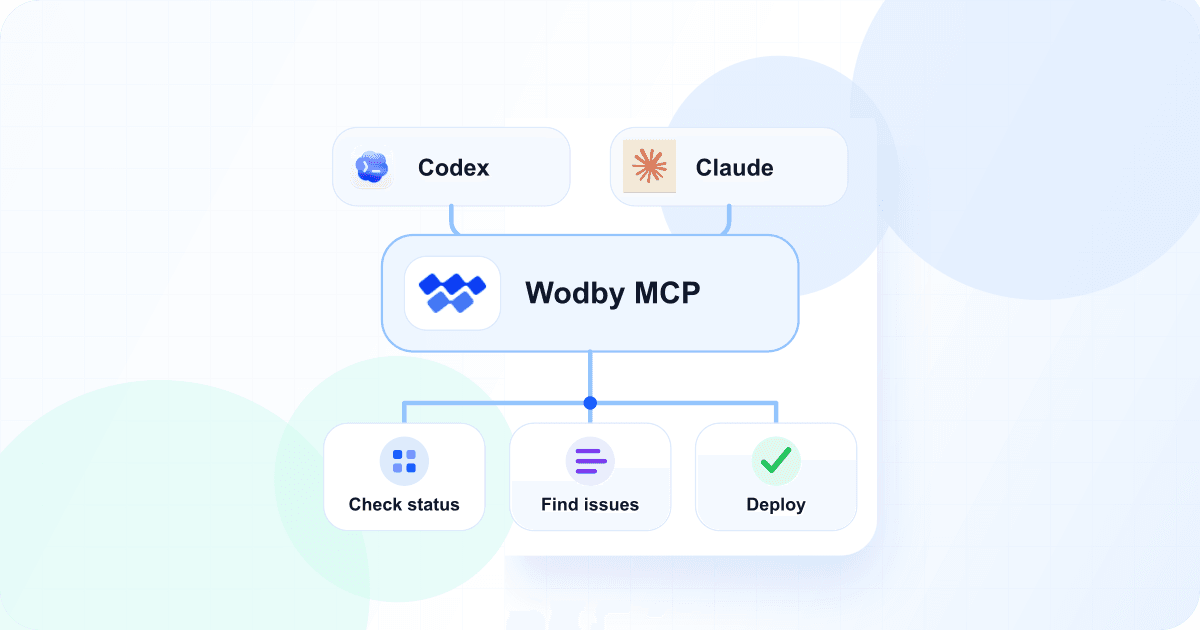
The Model Context Protocol is an open standard for connecting AI applications to external systems. For Wodby, that means an assistant can work with purpose-built platform tools instead of asking you to copy IDs, status details, and task logs out of the dashboard or teaching it every REST endpoint.
The server is available at https://mcp.wodby.com/mcp and uses Streamable HTTP. It works with Codex, Claude Code, Claude Desktop, and other MCP clients that support remote servers directly or through an MCP remote connector.
From a question to a Wodby operation
Wodby MCP covers the platform workflows where an assistant is most useful: collecting context across several resources, interpreting operational state, and carrying a task through its next step.
| Workflow | What the assistant can do |
|---|---|
| Discover | List organizations, projects, apps, app environments, services, clusters, databases, integrations, stacks, and recent activity. |
| Diagnose | Inspect app status, deployments, task steps and logs, Kubernetes pods, and current service or cluster metrics. |
| Operate | Create builds and deployments, run service actions or cron schedules, create backups, and follow tasks to completion. |
| Create and configure | Prepare and create apps, app environments, clusters, databases, custom services, and stacks with explicit confirmation. |
Ask in plain language
You do not need to know the individual MCP tool names. Start a normal chat and describe the Wodby outcome you want. For example:
- Use Wodby to show the status of the production app environment for app example.
- Explain why the latest production deployment failed and include the relevant task step logs.
- Create a build for the php service, wait for the build task, then follow the deployment task if Wodby creates one.
- Create an app from stack drupal11. Use safe defaults and ask me which cluster to deploy it to.
Designed for multi-step agent workflows
The tools are shaped around Wodby workflows rather than mirroring the REST API one endpoint at a time. Common selectors accept names such as organization, project, app, app environment, service, cluster, stack, and environment type, so a prompt can describe the same objects your team uses in conversation.
Creation flows separate preparation from execution. Wodby can resolve names, apply safe defaults, and return structured questions for choices that should not be guessed, such as a target cluster, cloud region, machine size, or required service integration. Nothing is created until the required inputs are resolved and the tool receives explicit confirmation.
Asynchronous operations are agent-friendly too. Builds, deployments, and other Wodby tasks return compact status data and suggested follow-up calls. An assistant can wait for the task, inspect the failed step when something goes wrong, and continue to a deployment created by a successful build.
Access stays controlled
The recommended connection uses MCP OAuth. Wodby opens a browser authorization flow where you choose one organization and review the requested access. The grant runs with the permissions of the Wodby user who approved it.
- Separate scopes cover read access, operations, configuration, provisioning, destructive actions, and sensitive input.
- Destructive and other high-impact tools require an explicit
confirm: trueargument. - The sensitive-value scope is not requested by default and must be explicitly granted when a tool needs a credential such as a database password.
- MCP responses do not expose environment values, service tokens, registry credentials, integration credentials, or submitted passwords.
Connect Codex
Add the hosted server, then complete the Wodby login in your browser:
codex mcp add wodby --url https://mcp.wodby.com/mcp
codex mcp login wodby
Start Codex and run /mcp to verify that wodby is connected.
Connect Claude Code
Claude Code can connect to the same remote endpoint directly:
claude mcp add --transport http wodby https://mcp.wodby.com/mcp
claude mcp login wodby
The documentation also includes a Claude Desktop configuration and an API-key fallback for clients or scripts that cannot complete OAuth.
MCP, API, SDK, or CLI?
Use MCP when an AI assistant needs Wodby context, diagnostics, or a guided operation. Use the REST API or an SDK for deterministic application integrations. Use Wodby CLI for CI/CD, shell workflows, and scripts built around explicit commands.
Available now
Start with the Wodby MCP documentation for client configuration, authentication details, example prompts, the current tool catalog, and troubleshooting. You can also compare all automation options on the developer resources page.