Product update
Backups, improved: new storage, streaming, and smarter controls
Backups on Wodby now have more places to go, a lower-overhead path to get there, and finer control over what runs. This release adds Cloudflare R2, Backblaze B2, and Wodby Blob Storage with US and EU regions; streams supported backups directly to object storage; and expands backup exclusions, organization presets, and history.
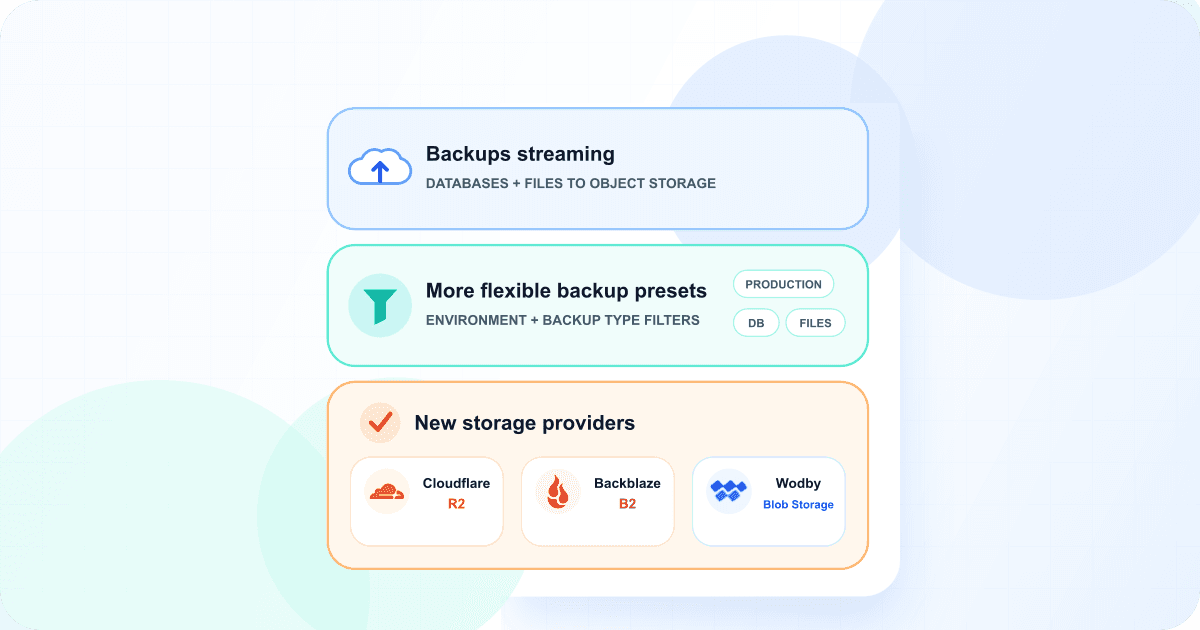
Three more backup destinations
You can now send application and database backups to Cloudflare R2 or Backblaze B2 through reusable storage integrations. If you would rather not manage another object-storage account, Wodby Blob Storage is available as a built-in destination on paid subscriptions.
Cloudflare R2
Connect an R2 account with an account ID and R2 access keys, then select one of its buckets as the destination.
Visit Cloudflare R2Backblaze B2
Connect Backblaze with its S3-compatible endpoint and an application key pair, then choose the B2 bucket to use.
Visit Backblaze B2Wodby Blob Storage
Use the built-in destination without managing an integration or bucket credentials, and choose either the US or EU storage region.
Wodby Blob Storage appears alongside your connected providers when you create a manual backup or preset. It now offers US and EU storage regions, so you can choose where each backup is stored without configuring an integration, bucket, credentials, or storage class. A preset keeps its selected region for every scheduled backup; US is used when no region is specified. Wodby provides an expiring download link for each completed backup. Read more in the Wodby Blob Storage documentation.
All supported backup storage providers
With these additions, you can choose from seven object-storage destinations for application and database backups:
- Amazon S3
- Azure Blob Storage
- Google Cloud Storage
- DigitalOcean Spaces
- Cloudflare R2
- Backblaze B2
- Wodby Blob Storage
The first six destinations use reusable storage integrations in your own cloud accounts. Wodby Blob Storage is built in and does not require a separate provider account.
Stream backups instead of staging a second copy
The optimized backup path sends data from the backup producer to object storage as it is created. File backups are packed into the stream instead of first writing a complete archive beside the source data. Supported database services stream the compressed dump in the same way.
This removes the need to reserve temporary disk space for another full copy of the archive and avoids a separate upload pass. Wodby only commits the destination object after the producer succeeds; an interrupted producer or upload does not become a completed backup.
| Service | Available since | Streaming coverage |
|---|---|---|
| Ganesha NFS provisioner | Available now | File backups |
| MariaDB | Service 1.1.0+ | MariaDB 11.8 and 11.4 |
| PostgreSQL | Service 1.1.0+ | PostgreSQL 18 |
Other database versions and older service revisions continue to use the existing staged-file workflow, so the change is backward compatible. File streaming is available now through the Ganesha NFS provisioner service.
Exclude cache and other rebuildable data from database backups
MariaDB and PostgreSQL backups can now omit the rows from selected tables while retaining their definitions. This is useful for caches, search indexes, transient locks, and other data the application can rebuild after a restore. The option was introduced in MariaDB service 1.0.10 and PostgreSQL service 1.0.9; use service revision 1.1.1 or newer for the current semicolon-delimited argument handling.
For a one-off backup, use the Excluded table contents field. Leaving it untouched uses the configured default. Entering a different list overrides that default for this run, while an explicitly empty list includes every table's contents.
To change the default, edit the database service under Configuration > Tokens in a stack or app environment. MariaDB reads db_backup_ignore_tables; PostgreSQL reads exclude_tables. Separate table names or patterns with semicolons.
Defaults in official stacks
The following stack versions set exclusions for data that is safe for the framework to recreate. Upgrade the stack to at least the listed version to receive the default.
| Stack | Version | Database and token | Default exclusions |
|---|---|---|---|
0.1.3+ | MariaDBdb_backup_ignore_tables | cache_%;cachetags;search_dataset;search_index;search_total;semaphore | |
0.1.3+ | PostgreSQLexclude_tables | cache_*;cachetags;search_dataset;search_index;search_total;semaphore | |
0.1.7+ | PostgreSQLexclude_tables | solid_cache_entries;solid_cable_messages | |
0.3.1+ | MariaDBdb_backup_ignore_tables | cache;cache_locks |
Drupal uses the wildcard syntax understood by each database: MariaDB's cache_% is the equivalent of PostgreSQL's cache_* pattern.
More precise organization-wide presets
Organization-wide presets can now target the app environments and backup workloads they are meant for. Choose one or more environment types: Production, Staging, Testing, Development, or Feature. Leave the selection empty for any environment type. Then set Backups to Any, Files only, or Databases only.
The filters apply both when the dashboard offers matching presets for a manual backup and when Wodby evaluates automatic schedules. This makes it possible, for example, to send production database backups to one destination while a separate preset handles files from every non-production environment.
Backup history at the organization and preset level
The Organization > Backups page now shows backup activity across the organization, including app services and standalone databases. You can review the resource, target, backup type, storage destination, status, size, start time, and duration from one list.
Open any backup preset and select its new Backups tab to see only the backups created by that preset. This provides a direct way to verify a schedule, review failures, or confirm that a new scope filter is matching the intended resources.
Available now
Create a backup or organization-wide preset in the Wodby dashboard to try the new destinations and filters. See the application backups documentation for the complete backup workflow.