Product update
Automation on your schedule
Wodby automation can now follow the maintenance schedule that fits each environment. Choose timezone-aware weekday windows for app, infrastructure, and backup automation, then review service changes and release notes before manual upgrades.
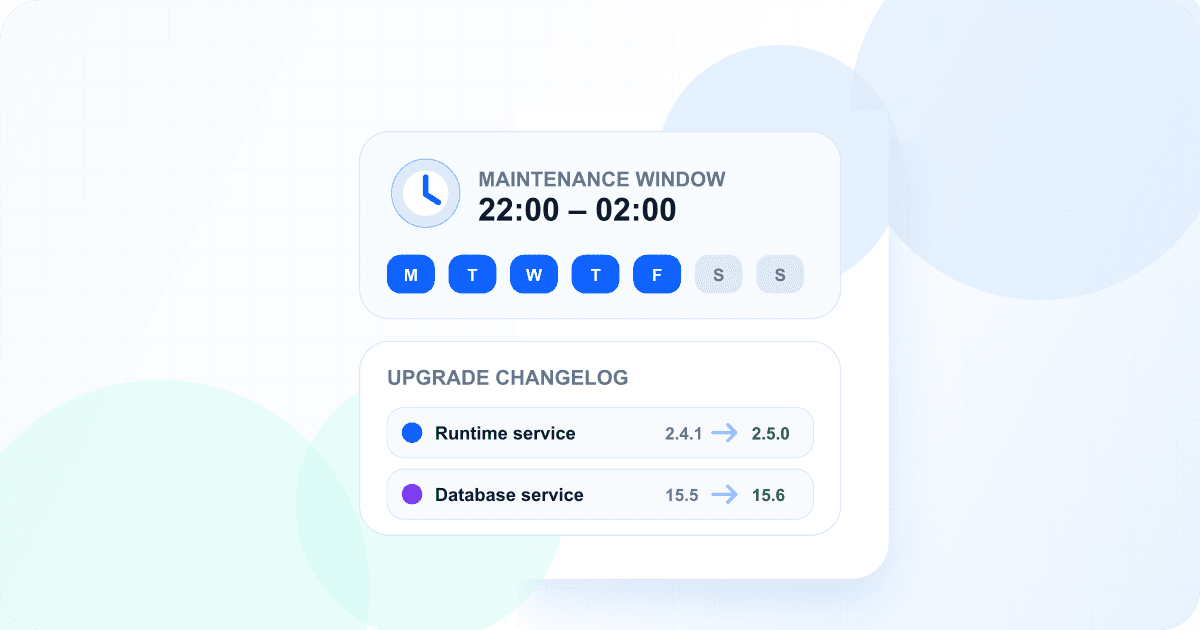
Automatic updates remove repetitive maintenance, but production teams still need control over when running workloads change and enough context to understand an available upgrade. Wodby now brings those two controls into the same workflow: automation time windows determine when scheduled work may start, and upgrade changelogs explain the service revisions involved.
Put workload automation inside a local-time window
A time window selects one or more weekdays, a start and end time, and an IANA time zone. Each supported automatic operation keeps its own window, so two app environments can follow different rollout schedules and a cluster can separate infrastructure version work from infrastructure app upgrades.
App stack upgrades
Give development, staging, and production separate windows even when the app environments share one stack.
Cluster infrastructure
Schedule infrastructure version and infrastructure app upgrades independently while preserving their required order.
Automatic backups
Choose the days and local-time interval in which an app, database, or organization-wide backup may begin.
The organization time zone provides a sensible starting default for new app environments, clusters, and backup presets. Each resource can still choose a different zone or a daytime, overnight, weekday, weekend, or every-day window.
Windows control when work starts
Eligible automatic work found outside its window is deferred quietly and reconsidered later. A task that starts inside the window may finish after it closes. Manual upgrades and backups remain available whenever the team needs them.
Review upgrade changelogs before moving forward
Wodby now loads changelogs for the upgrade paths where service revision context matters. The changelog identifies services that will be added, removed, or moved to another revision and collects published release notes from the service's Git provider when they are available.
Stack service updates
See which service revisions will move forward before creating the next stack revision.
App stack upgrades
Compare a running app environment with the latest published stack target before a manual upgrade.
Infrastructure apps
Review the platform services affected by an infrastructure app upgrade on a Kubernetes cluster.
Keep automatic work visible after it starts
Automatic updates continue to run as normal Wodby tasks with history, logs, warnings, and failure state. Upgrade notification emails now include when the task started and, when a window is configured, the interval, time zone, and selected days. Successful automatic infrastructure app upgrade emails can also include the available service release notes.
Configure automation one environment at a time
Open an app environment or Kubernetes cluster and review its automatic-upgrade settings to select a time window. Backup windows are configured on app, database, or organization-wide backup presets. For the exact scheduling rules, overnight-window behavior, and existing-schedule migration details, read the automation time windows documentation.
Explore the full automatic updates workflow or configure your update policies in Wodby.